The Screen Time Rules That Actually Work (And Why Your Timers Aren't Helping)
Last Tuesday, my nine-year-old son, Leo, asked if he could watch "just one more" Minecraft tutorial. I checked the clock: he'd already been on his iPad for over an hour. Like many of you, I had set our trusty device timer to automatically lock after sixty minutes, expecting a smooth, painless transition. Instead, when the screen went black, Leo threw a spectacular, tear-filled tantrum that felt entirely out of proportion to a simple Minecraft video.
That familiar stomach drop of parental guilt hit me immediately. I was left wondering: why do these battles feel so exhausting? I realized that our rigid timer wasn't actually teaching Leo how to manage his digital life; it was just acting as a harsh, mechanical referee that cut off his engagement mid-sentence. It felt like tearing a book out of a child's hands in the middle of a chapter. According to a recent study from the Pew Research Center, over half of parents find themselves in this exact cycle, struggling to find a healthy balance between digital education and overload.
Turns out, I wasn't alone in this digital parenting struggle. A fascinating 2024 study from the Stanford Digital Wellness Lab tracked hundreds of families and found that traditional screen time timers actually increase post-screen irritability. When technology abruptly shuts down, children suffer from a sudden dopamine crash compounded by decision fatigue, making them feel completely powerless.
Our busy brains have been trained to measure digital health purely in minutes, but the research points to a different story. The Stanford study revealed that kids who had control over how they finished a video—meaning they could finish the episode rather than being cut off by a timer—showed forty percent less emotional distress. It became clear that content quality and agency matter far more than just a ticking clock.
This realization completely changed how I think about digital boundaries. I decided to stop relying on arbitrary countdown timers and instead focus on helping my kids navigate technology intentionally. Here is the exact shift in philosophy that saved our sanity: we stopped trying to police the clock, and started curating the environment.
Why Do Screen Time Timers Make Our Kids So Grumpy?
When we set a daily screen time limit—say, forty-five minutes of YouTube on a school night—we think we're being proactive. It sounds so reasonable on paper, doesn't it? But to a child's brain, an automatic device timer feels unpredictable and punitive, even when they know it is coming.
Imagine reading your favorite novel, only for someone to snatch it away mid-sentence, slam it shut, and lock it in a drawer. That is exactly what an automatic timer does. It denies kids a natural sense of completion, which is a vital part of cognitive self-regulation.
A 2025 research study published in the Journal of Pediatrics found that passive watching, driven by endless autoplay suggestions and algorithmic feeds, leaves kids feeling overstimulated yet unsatisfied. When the timer interrupts this state, it triggers an immediate stress response. The problem isn't necessarily the YouTube video itself, but the lack of closure and control.
I Felt Like a Failure as a Screen-Time Referee
I'll be honest with you: for months, I felt like I was failing at digital parenting. I spent my afternoons negotiating, bargaining, and setting elaborate passcode systems on our Apple devices. My tech-savvy son was constantly finding workarounds—like changing the system clock or using screen recording to spy on my passcode—while I felt like a tired warden in a high-tech prison.
We tried everything. We used Apple Screen Time, which is built-in and free, but my kids quickly learned how to bypass its web filters. We tried Google Family Link on their tablets, which is great for broad device limits but felt like a sledgehammer when we needed a scalpel for specific apps. Then we tried broad parental suites like Qustodio, Mobicip, and Net Nanny. While they offered massive dashboards with location tracking and usage reports, they were incredibly overwhelming to set up, and they didn't actually solve our primary battleground: YouTube's recommendation engine.
We even experimented with Bark, which is excellent for monitoring text messages and social media flags, but it felt far too invasive for a nine-year-old who just wanted to watch redstone circuits. None of these tools addressed the root of our problem. They all focused on locking down time, rather than changing how my kids interacted with the content itself.
"The key to healthy digital habits isn't just about limiting minutes. It is about removing the persuasive design elements—like autoplay and infinite feeds—that override a child's natural ability to stop watching." Dr. Jenny Radesky, Lead Media Researcher, Boston Children's Hospital (2024)
That quote by Dr. Radesky hit me like a lightning bolt. I had been trying to teach willpower while my kids were fighting against multi-billion-dollar algorithms designed by psychologists to keep their eyes glued to the screen. It wasn't a fair fight. If I wanted to help my kids, I had to change the digital landscape they were playing in.
Step-by-Step: How to Flip the Script with a Channel Allowlist
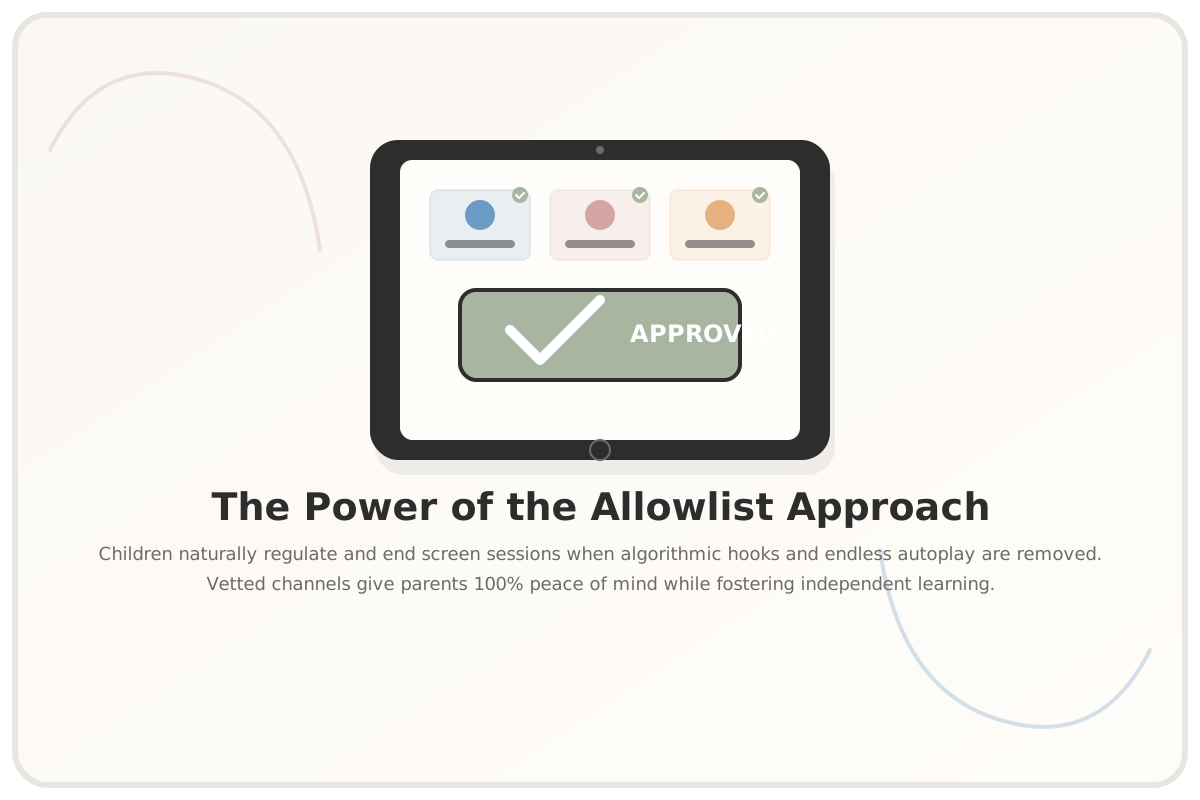
That Michigan study was the catalyst for our family's screen-time revolution. I realized we needed to move away from the traditional, restrictive approach of blocking bad things, and move toward an "allowlist" (or whitelist) approach. Instead of trying to filter out millions of bad YouTube videos, we would approve a select group of high-quality creators and block everything else.
After researching tools that could actually implement this, we started using WhitelistVideo. It is a parental control app for YouTube that lets parents approve specific channels while blocking everything else — including Shorts, comments, ads, and downloads — with bypass-proof protection that works even if a child knows the device passcode. It was the only tool I found that let us keep the clean, native YouTube player while giving us absolute control over the available channels.
Our setup took about twenty minutes on a Sunday afternoon. Leo and I sat down together, and we approved seven of his favorite Minecraft and science creators, like Mark Rober and SciShow. Now, when Leo opens YouTube on his iPad, he only sees those approved channels. There are no sidebar recommendations for weird videos, no comments section to scroll through, and—crucially—YouTube Shorts are blocked with a single toggle in the parent dashboard. He watches a tutorial, reaches the end, and... just stops. There is no infinite scroll to drag him down rabbit holes, so he closes his iPad and goes outside to build what he just saw.
I want to be completely fair and offer a mild criticism of WhitelistVideo: it is highly specialized. It only covers YouTube, which was perfect for our family since that was our primary battleground, but if your kids are spending hours on TikTok or Instagram Reels, it won't help you there. Unlike Qustodio or Apple Screen Time, it doesn't offer general device-wide time limits or location tracking. For us, that narrow focus is actually its strength, but it is important to know its boundaries before you dive in.
Questions Parents Ask
How do I transition my child from screen time timers to an allowlist?
The transition is much easier when you involve your child in the process. Sit down together and explain that you want to move away from frustrating timers. Let them choose their absolute favorite creators to add to the approved list. This gives them a sense of ownership and control, which dramatically reduces the temptation to argue when screen time is over.
What are the real-world limitations of channel whitelisting?
While whitelisting is incredibly effective at stopping algorithmic rabbit holes, it does require a bit of upfront curation. You have to approve creators at the channel level, which means you'll want to spend a few minutes checking a creator's overall content library first. Additionally, specialized tools like WhitelistVideo do not manage other social media apps or track physical location, so you may still want to use built-in tools like Apple Screen Time for general device boundaries.
Is YouTube Kids a safe alternative to whitelisting?
YouTube Kids is a decent starting point for toddler-aged children, but older kids quickly outgrow its interface, which can feel babyish. Tech-savvy kids also find it surprisingly easy to bypass, often by finding direct links to the main YouTube site. Whitelisting on the main YouTube player allows older kids to use a mature interface while keeping them strictly within the safe guardrails of channels you have vetted and approved.
These days, screen time in our house looks entirely different. There are still discussions, and we still have to navigate the occasionally busy school week, but the screaming matches? Those are completely gone. By shifting our focus from policing the clock to curating a safe, algorithmic-free space, we've helped Leo develop a healthier, more intentional relationship with technology.
I would love to hear how your family handles these digital boundaries. Do you use automatic timers, or have you experimented with a whitelist approach? What are your biggest battlegrounds at home? Drop a comment below or join the conversation on our social channels—I read every single one, and I'd love to learn from your experiences in the trenches.
Some links in this article are affiliate links. As always, I only share tools I've personally used with my own family.
You Might Also Like
Continue the conversation on Instagram →
@digitalparentingtoday